
The Client Workspace is where your project lives: the plan, your actions, our progress, the files and the deliverables. It is the reason we can promise you will always know where things stand.
Client Workspace
Watch your project, step by step.
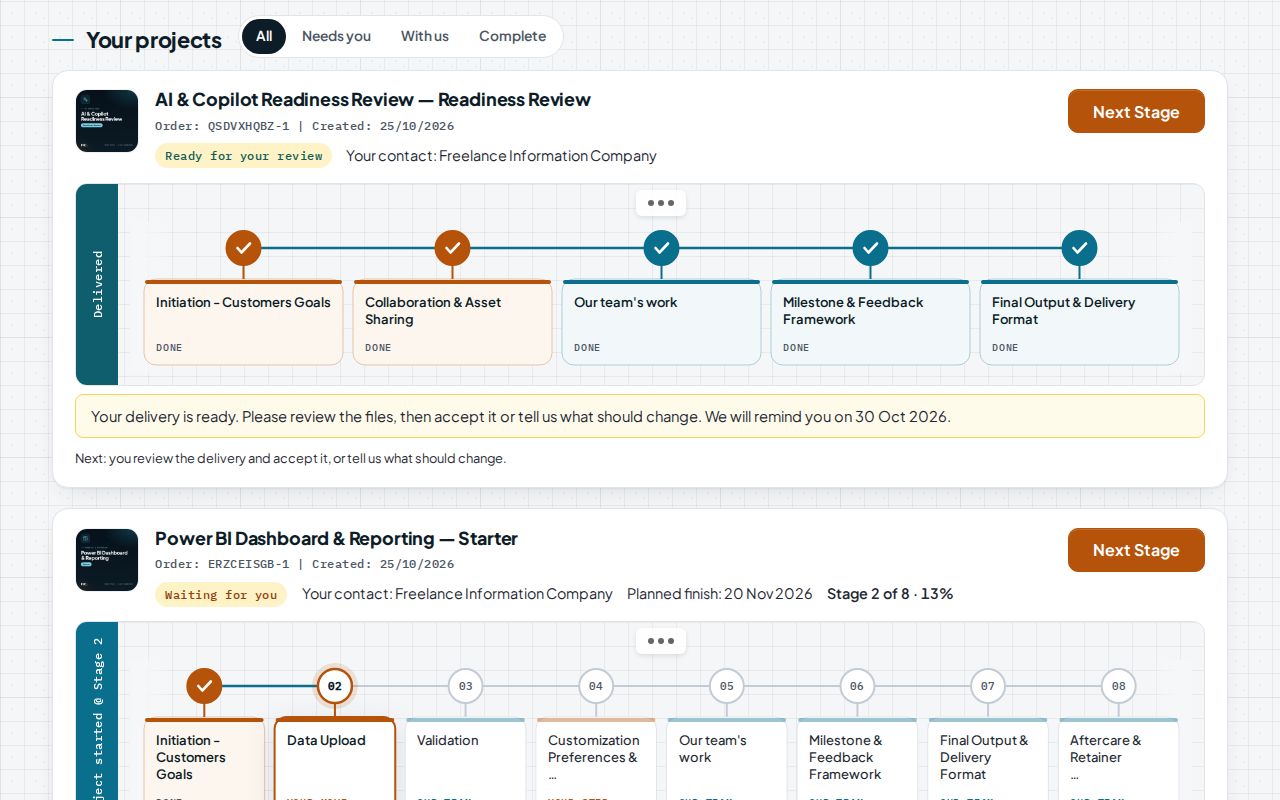
See every stage of your project, who has it, and when it is due.
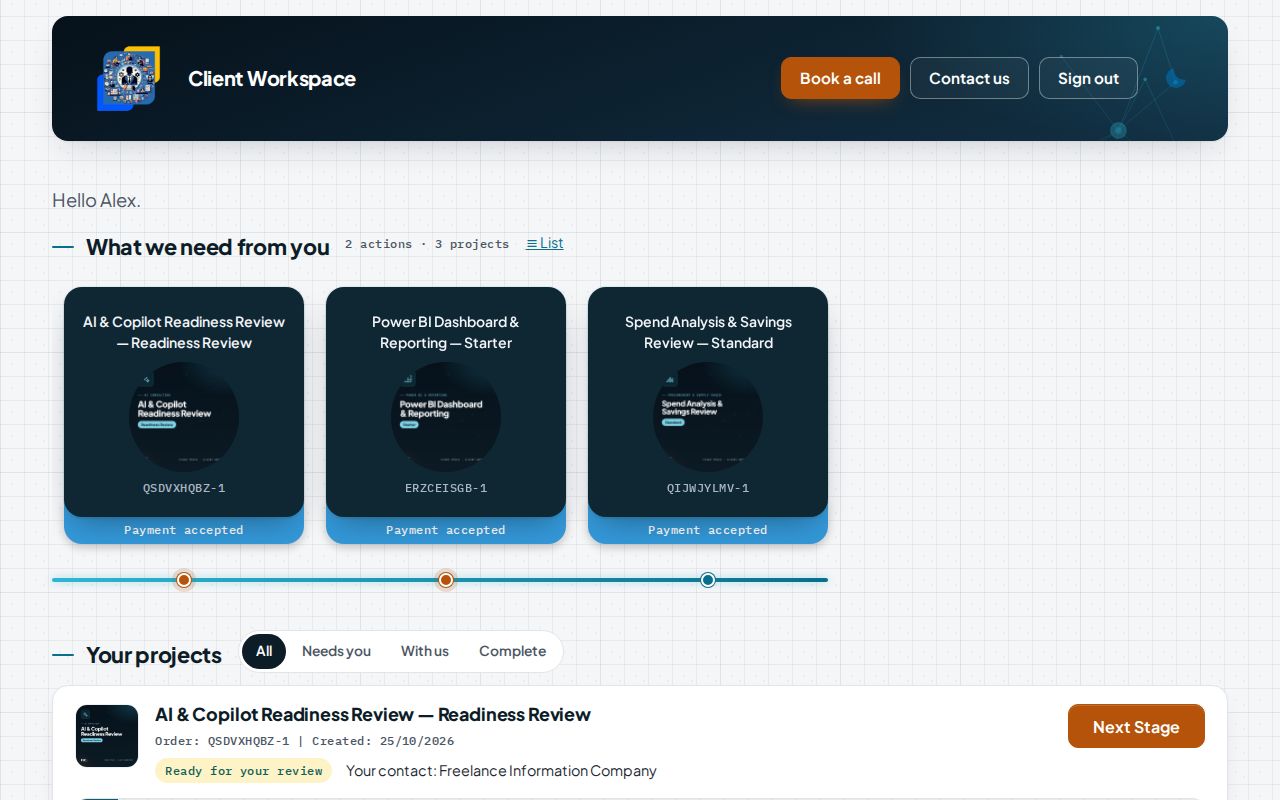
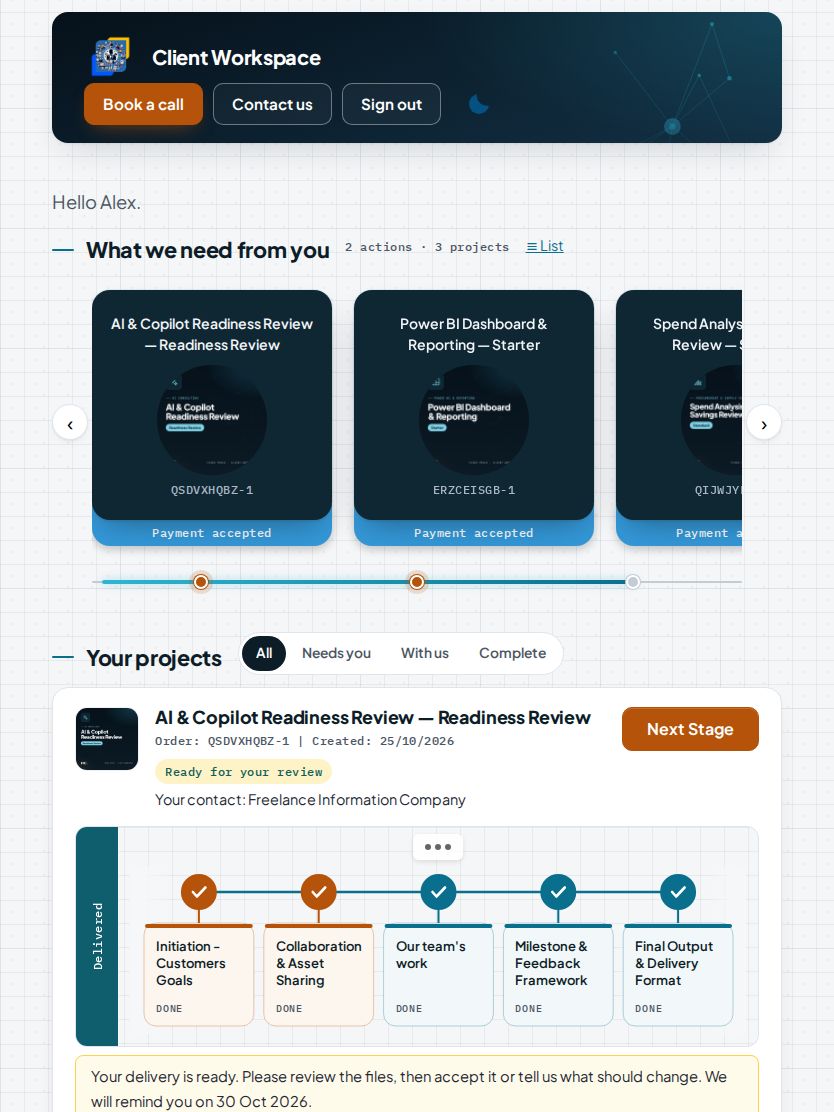
Everything waiting for you, across all your projects, at the top of the page.
- 1Actions waiting for you, counted across your projects
- 2One card per project, with its order reference and payment status
- 3Filter: needs you, with us, complete
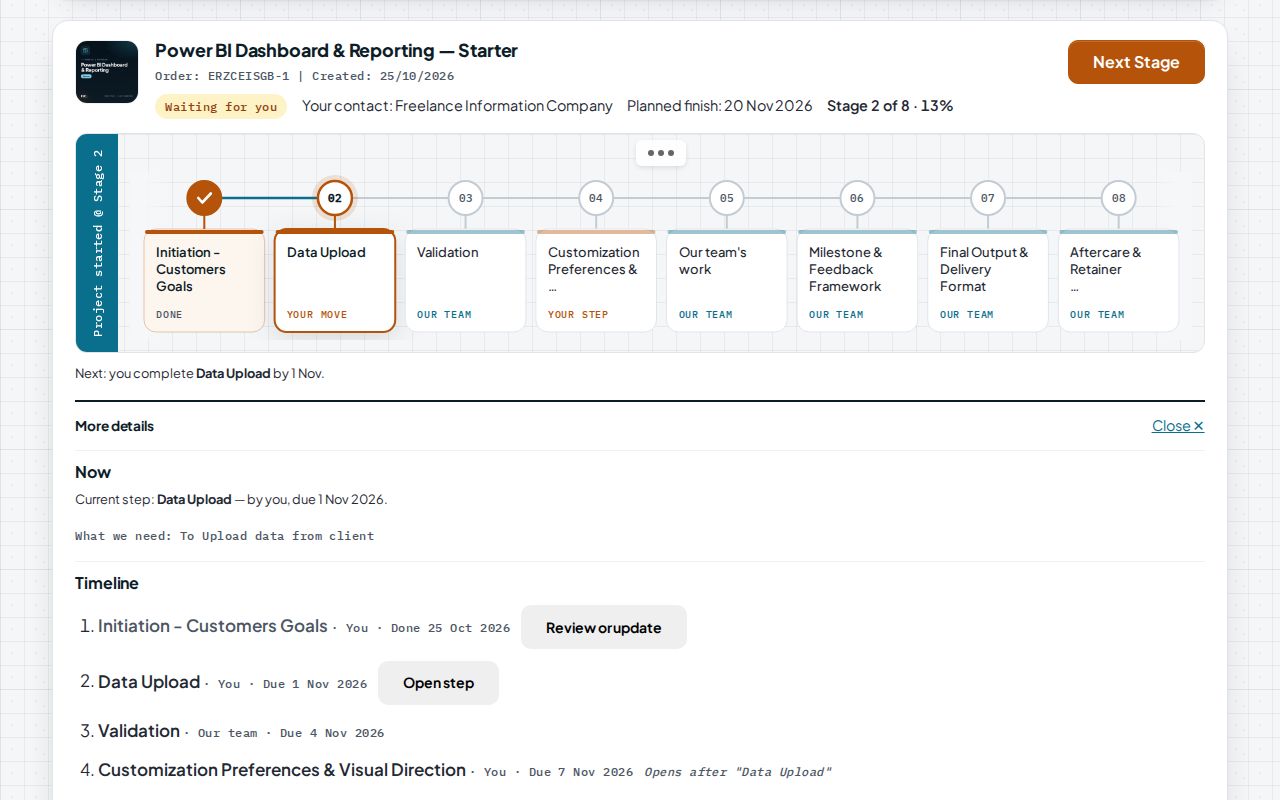
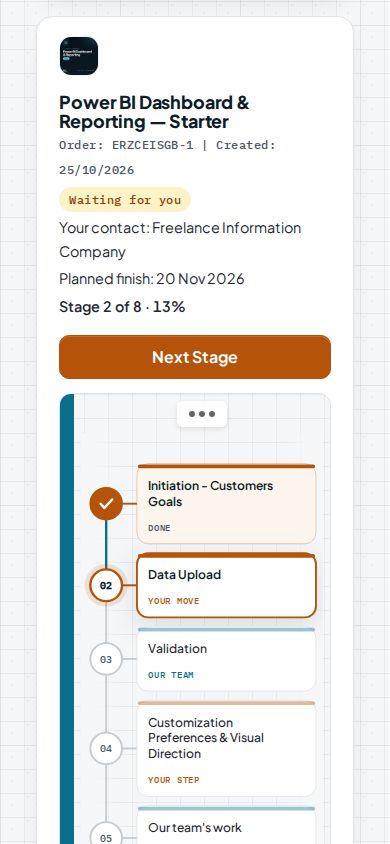
When the next step is yours, the workspace says what is needed and by when.
- 1Waiting for you: the next step is yours
- 2Stage and progress, with the planned finish
- 3The next action and its date
- 4Every step with its owner and due date
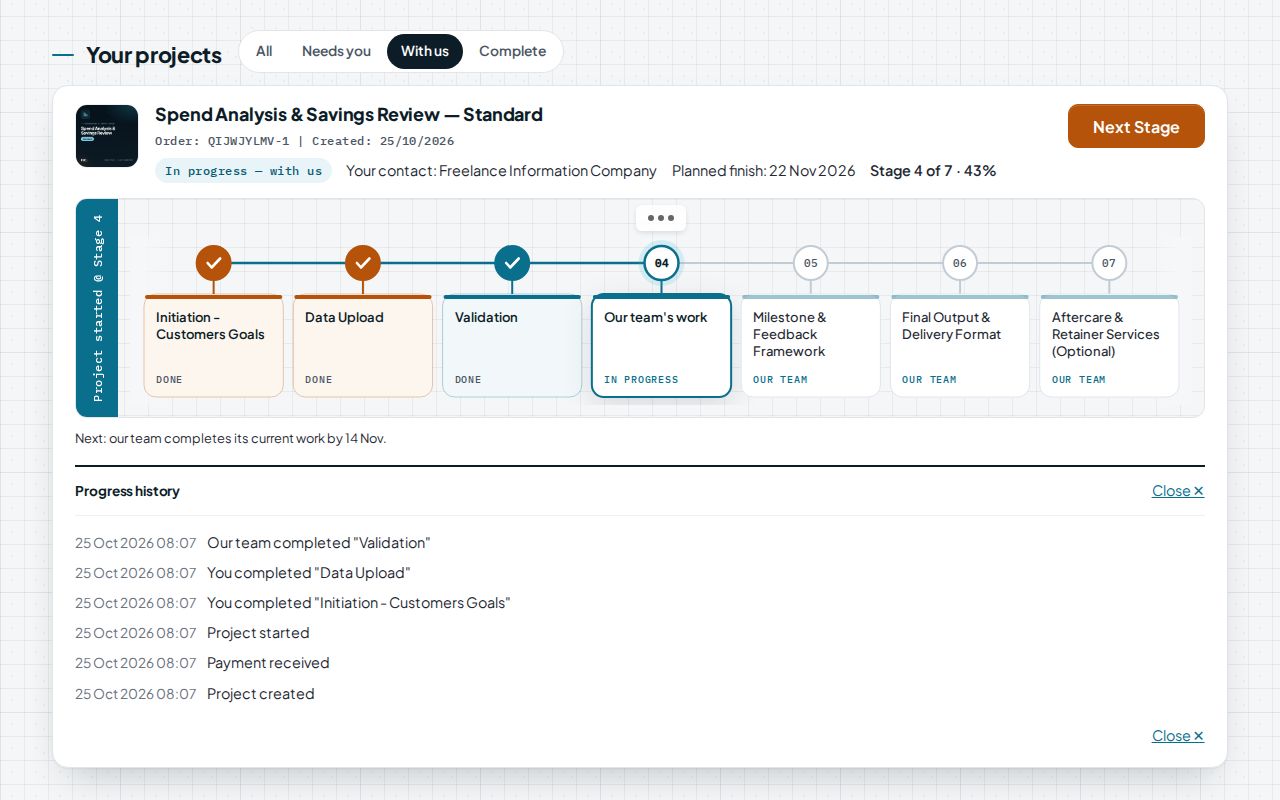
Every stage, who has it and when it is due. Finished stages are ticked on the line.
- 1In progress with us: nothing is needed from you
- 2Stage and progress, with the planned finish
- 3Finished stages are ticked on the line
- 4The project history: every event, dated
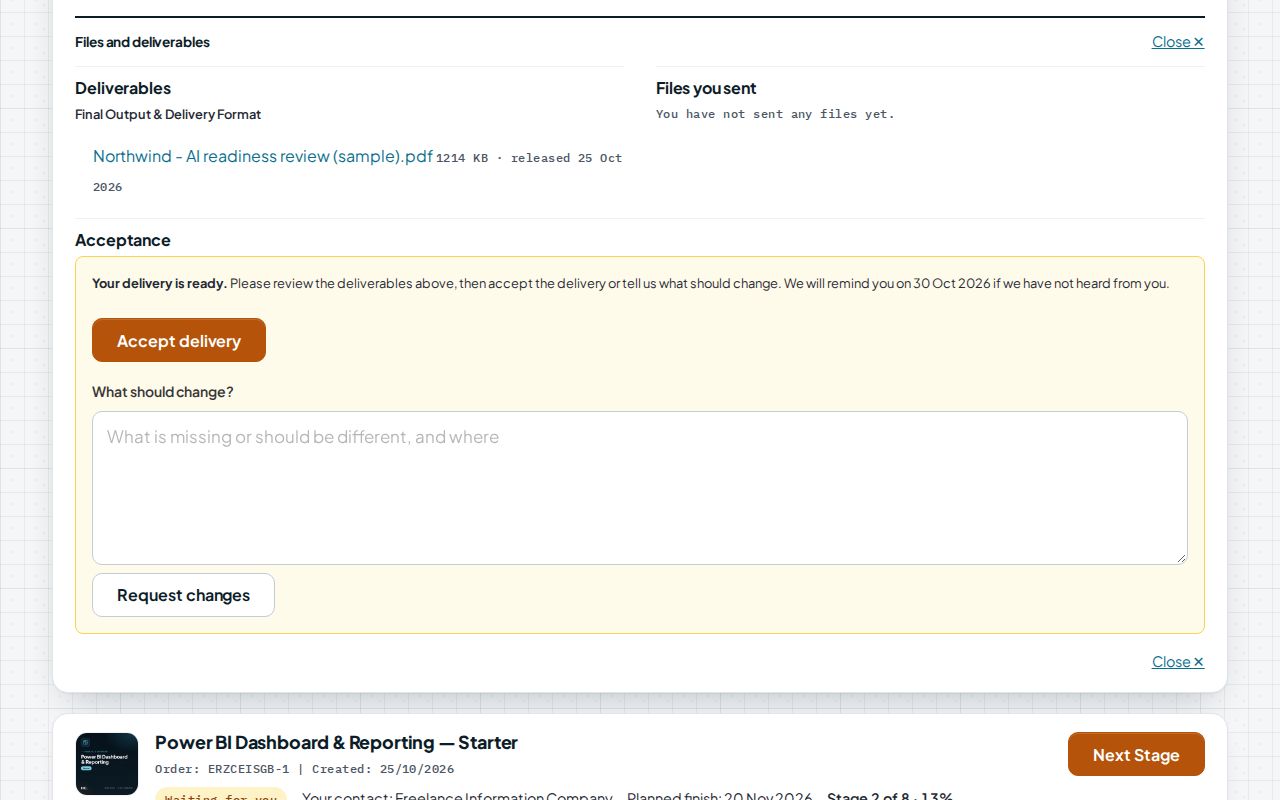
Deliveries arrive in their stage: review the files, then accept or ask for changes.
- 1Ready for your review
- 2The deliverable, released into its stage
- 3Accept the delivery…
- 4…or say what should change
Sample project: fictional company and data
Anywhere
The same project on every screen.
Sample project: fictional company and data
What the workspace does
| Your projects at a glance | Each service you order appears as a card with its status and the next action. |
|---|---|
| What we need from you | The brief, uploads and approvals waiting for you are shown first, with what to send and by when. |
| Secure uploads | Upload files to the right step; each upload is marked received, or we ask you to send it again. |
| Progress you can see | Every stage shows who has it and when it is due. Stamps land as stages finish. |
| Deliverables in one place | Reports, dashboards and files appear in their stage, ready to download. |
| Acceptance and history | Accept the work or ask for changes; the full history stays with the project. |
| Ask us | Send a question about any stage; it reaches the project office with the project and stage attached. |
The screens on this page show a sample project for a fictional company. Your workspace shows only your own projects and files.
Every step has an owner, a date and a check.
Next step
Talk it through: 30 minutes, free, no obligation.
We reply within one working day.